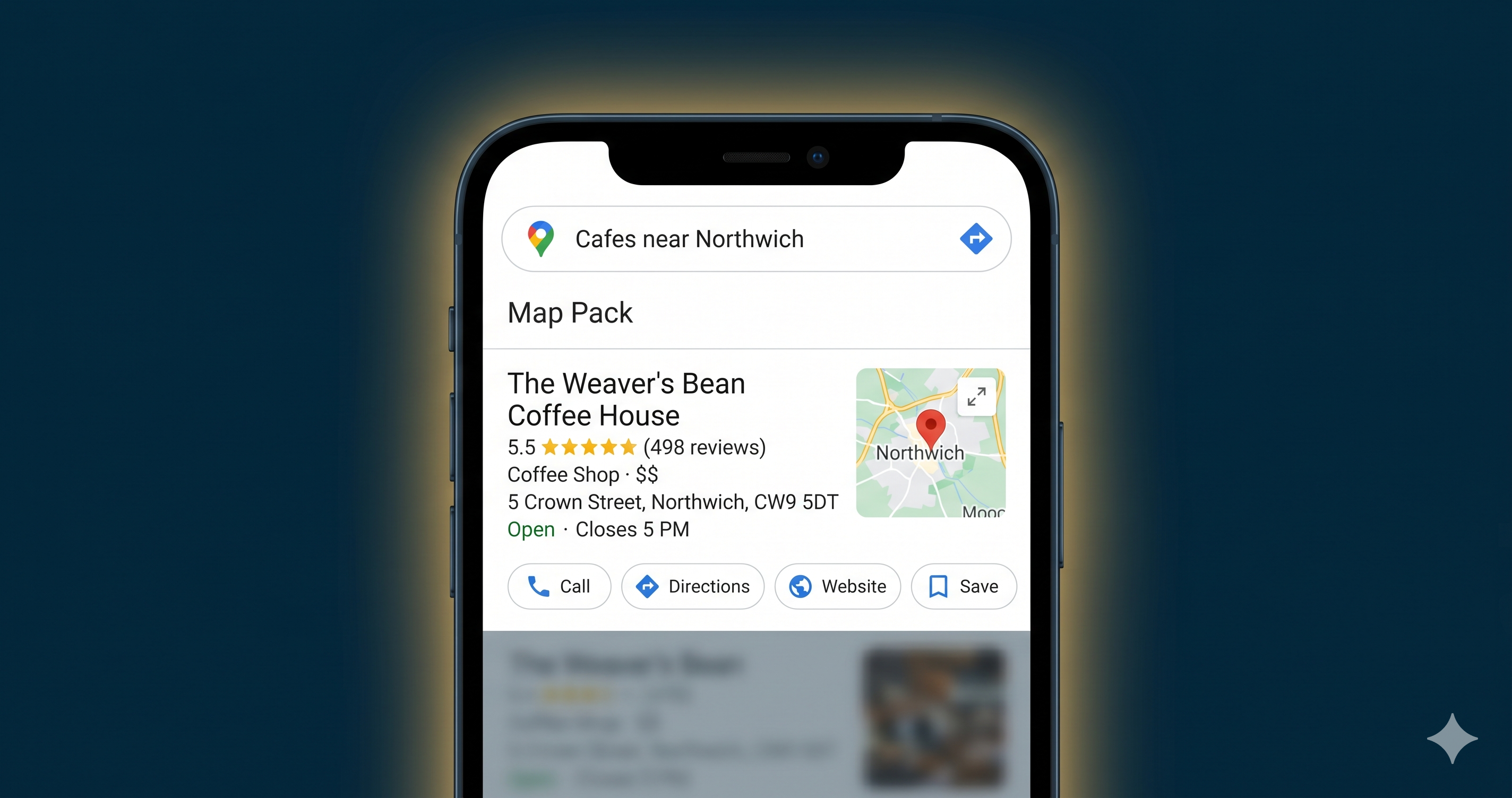
Your Google Business Profile is the most powerful free marketing tool a local business has in 2026. Most owners set it up once and never touch it again. That is exactly why their competitors are appearing above them.
What you will get from this
- Why GBP now outranks your website in local search results
- The 7 steps to a fully optimised profile
- How to get more Google reviews without breaking the rules
- Which photo types drive the biggest ranking improvements
- What the Q&A section does and why ignoring it costs you customers
- How Google Posts keep your listing active and visible
In this article
- Why Google Business Profile matters more than ever in 2026
- Step 1: Verify and complete your profile
- Step 2: Pick your categories carefully
- Step 3: Write a business description that works
- Step 4: Photos are a top ranking signal
- Step 5: Use Google Posts every week
- Step 6: Build reviews the right way
- Step 7: Q&A, services and attributes
- Common questions about Google Business Profile
Why Your Google Business Profile Matters More Than Your Website in 2026
Search has changed for local businesses. The first thing people see on Google for a local query is the Map Pack, the three business listings that appear above organic results. Below that comes the AI overview. Your website's organic position comes third.
Your GBP is what powers both the Map Pack and the AI-generated answers. A thin, outdated, or incomplete profile means Google will serve a competitor instead of you.
The numbers make this concrete. Around 46% of all Google searches have local intent. Of people who search locally on their phone, 76% visit a business within 24 hours. Getting into the top 3 local results is worth more to most small businesses than any paid ad campaign.
If you are unsure how well your website performs for local visitors, the free 16-point website audit will show you in 10 seconds exactly what is working and what is not.
Step 1: Verify and Complete Every Section
Go to business.google.com and claim your listing if you have not already. Google will verify your business by post, video, or phone call. Complete this first. An unverified profile cannot appear in the Map Pack, full stop.
Once verified, fill in every field Google provides. That means:
- Business name, exactly as it appears on your shopfront or letterhead
- Address or service area
- Phone number
- Website URL
- Opening hours, including bank holidays and any seasonal changes
- Business description
NAP consistency is critical. Your name, address, and phone number must be identical across every directory, social profile, and website listing. Even small differences like "Ltd" versus "Limited," or "Street" versus "St," can confuse Google and reduce your ranking.
Check your listing on Yell, Thomson Local, Bing Places, Apple Maps, and Facebook. Update any that do not match your Google Business Profile exactly. This one task alone has helped businesses move up the local results without changing anything else.
Step 2: Pick Your Categories Carefully
Your primary category is the single most important field on your profile. It tells Google what type of business you are. Pick the most specific option available, not a broad catch-all.
A plumber should choose "Plumber" as their primary category, not "Contractor." A bakery should choose "Bakery" rather than "Food and Drink Store." This one decision affects which searches your listing appears in more than almost anything else.
You can add up to 9 secondary categories. Use them to cover your additional services. A plumber might add "Bathroom Fitter," "Boiler Engineer," and "Emergency Plumber." A salon might add "Hair Colouring," "Nail Salon," and "Beauty Salon."
Do a quick competitor check first. Search for your main service plus your town on Google. Look at the categories the top 3 local results are using. Matching them or being more specific is usually the right call.
Step 3: Write a Business Description That Actually Works
You have 750 characters. Front-load the most important information in the first 250 characters, because that is what appears before the "Read more" cut-off in search results.
A good description tells people what you do, where you serve, and one thing that makes you different from competitors. Be specific. "We fix boilers in Leeds with same-day availability and a 12-month parts guarantee" is far more useful than "We provide excellent plumbing services across Yorkshire."
Avoid repeating your business name, listing every service you offer in the description field, or using phrases like "leading provider," "best in the area," or "comprehensive solutions." Google ignores promotional language and so do customers.
The Services section is the right place to list every individual service. Your description should explain who you are and why someone should choose you.
Step 4: Photos Are a Ranking Signal Most Businesses Ignore
Google's own data shows that businesses with more than 100 photos receive 42% more requests for directions and 35% more website clicks than those with fewer than 10. That is a large, measurable difference. Most local businesses have 3 blurry photos uploaded years ago and have not added anything since.
Upload photos across these categories:
- Exterior: Your shopfront, signage, and car park. Help customers recognise you on arrival.
- Interior: What your space looks like inside. People want to know what they are walking into before they visit.
- Team: Real photos of real people. Stock photography works against you here.
- Work or products: Before-and-after shots for tradespeople, food photos for cafes, results photos for therapists or beauty professionals.
- Cover photo: The first image people see on your listing. Make it professional and specific to your business.
Upload at least 5 new photos every month. Google treats regular photo activity as a signal that your business is active and well-managed. Frequency matters as much as total quantity.
See How Profile Optimisation Works Inside the Dashboard
This walkthrough shows the key steps inside the Google Business Profile interface. Worth watching if you prefer a visual guide alongside the written steps above.
Want to know exactly what is hurting your local rankings?
Run the free 16-point audit. It checks your site in 10 seconds and shows you the specific issues holding you back. No sign-up required.
Run My Free AuditStep 5: Use Google Posts Every Single Week
Google Posts are short updates that appear directly on your listing in search results. Most businesses never use them. The ones that do get a consistent ranking boost because Google reads regular posting as a sign of an active, trustworthy business.
Post at least once a week. Types that perform well include offers (a seasonal promotion or limited discount), updates (a new service, new team member, or change in hours), and events (a workshop, open day, or local event you are part of).
Each post disappears after 7 days. That is the point. Think of it like a shop window display. Changed every week, it signals a busy, active business. Left unchanged for months, it suggests the opposite.
Keep posts between 150 and 300 words. Use one clear call to action per post. Link to a specific page on your site rather than just your homepage.
Step 6: Build Reviews the Right Way
Reviews are one of the three main ranking factors for local search, alongside relevance and distance from the searcher. Google weighs the total number of reviews, the average star rating, and how recent the reviews are.
Most happy customers will leave a review if you ask. Most businesses never ask.
How to Ask for Reviews Without Breaking Google's Rules
Create a direct review link from your GBP dashboard and share it after every positive customer interaction. Send it by text message, email, or print it as a QR code on your invoice, receipt, or business card.
Ask at the right moment. After a job goes well or a customer says something positive, say: "Really glad that worked out well for you. Would you mind leaving us a quick Google review? Here is the link." Simple, direct, and it works.
Never offer incentives like discounts or gifts in exchange for reviews. Google can detect patterns of incentivised reviews and may remove them or suspend your listing. Asking for an honest review after a positive experience is entirely within Google's guidelines and is exactly what they expect businesses to do.
Responding to Reviews Matters Too
Reply to every review, positive or negative. Potential customers read your responses as closely as the reviews themselves. For negative reviews, keep your reply calm and factual. Acknowledge the issue and explain what you are doing about it. One measured response to a complaint shows more professionalism than ten perfect reviews.
Aim for a 4.5-star average or above. A rating below 4.0 will actively put people off clicking your listing regardless of where you rank in the Map Pack.
Is your website set up to convert the traffic your GBP sends it?
A strong Google Business Profile drives visitors to your site. The free website audit checks whether your site is ready to turn those visitors into enquiries.
Scan My Website FreeStep 7: Q&A, Services and Attributes
The Q&A Section Most Businesses Ignore
The Q&A section appears on your listing and lets anyone ask or answer questions about your business. Most business owners ignore it. That means random members of the public are answering questions about your services, often incorrectly.
Log into your GBP and seed the Q&A yourself. Post the questions your customers ask most often, then answer them. Cover things like "Do you offer free quotes?", "Is parking available?", "Do you work with commercial clients?", and "Are you open on Sundays?" Seeding your own Q&A puts you in control of what people read before they contact you.
The Services Section
The Services section lets you list every service you offer, with individual descriptions and optional pricing. Fill this in for every service. Use the description fields to include location-specific terms naturally. "Boiler servicing in Leeds" is more useful to Google than just "Boiler servicing."
For more guidance on how your website and your GBP work together to generate enquiries, the blog has practical guides covering everything from page speed to local keyword research.
Attributes
Attributes are the tick-box features on your profile. Things like "Women-led business," "LGBTQ+ friendly," "Outdoor seating," "Accepts card payments," and "Free Wi-Fi." Tick every one that applies to your business.
These appear as filter options in Google Maps. Someone searching for a "dog-friendly cafe in Bristol" will only see businesses that have ticked the relevant attribute. Spend 20 minutes on your attributes and you may start appearing in searches that were previously invisible to you.
Common Questions About Google Business Profile
How long does it take to optimise a Google Business Profile?
The initial setup takes 2 to 3 hours. That covers verification, category selection, description writing, and uploading your first batch of photos. The ongoing work, mainly posts, review requests, and Q&A updates, takes around 30 to 45 minutes per week once it becomes routine.
Does my Google Business Profile affect my website's ranking in Google search?
Not directly. GBP rankings and organic website rankings use different signals. But a well-optimised GBP drives more traffic to your website, which can improve your website's performance signals over time. The two work best when they support each other.
What is the single most important thing to fix first on my GBP?
Verification and your primary category. An unverified profile cannot appear in the Map Pack. A profile with the wrong primary category will target the wrong searches no matter how good everything else is. Fix those two things before anything else.
How many photos should I have on my Google Business Profile?
Aim for at least 50 before you start worrying about other details. Google's data shows businesses with 100 or more photos see 42% more direction requests and 35% more website clicks. Upload 5 to 10 new photos every month to keep your profile looking active.
Can I get my listing suspended for asking customers to leave reviews?
Offering incentives like discounts or gifts in exchange for reviews violates Google's guidelines and risks suspension. Asking customers to leave an honest review after a good experience is completely fine. That is what Google expects business owners to do.
Do I need a website as well as a Google Business Profile?
No. You can run a GBP without a website. But a website gives Google more signals to assess your credibility and gives customers somewhere to go for more detail. A strong GBP paired with a well-optimised website is far more powerful than either one alone. If you want to know how your current site is performing, the free audit will show you in 10 seconds.
Written by The Catalyst Method
We help UK small business owners get more enquiries from Google through practical SEO and lead generation advice. If you want to know where your website stands right now, get in touch or run the free audit from the homepage.